
NegiFlow Automated Social Post
Your social posts, in your voice. Out when you say so.
Tell NegiFlow what you want to say. It writes a version for every channel you’ve connected, in your brand’s voice, and nothing goes out until you’ve approved it.
Free plan. No card needed.
How it works
Three steps, and you’re posting.
Set your brand up once. After that, most posts are a sentence, a read-through and an approval.
- 1
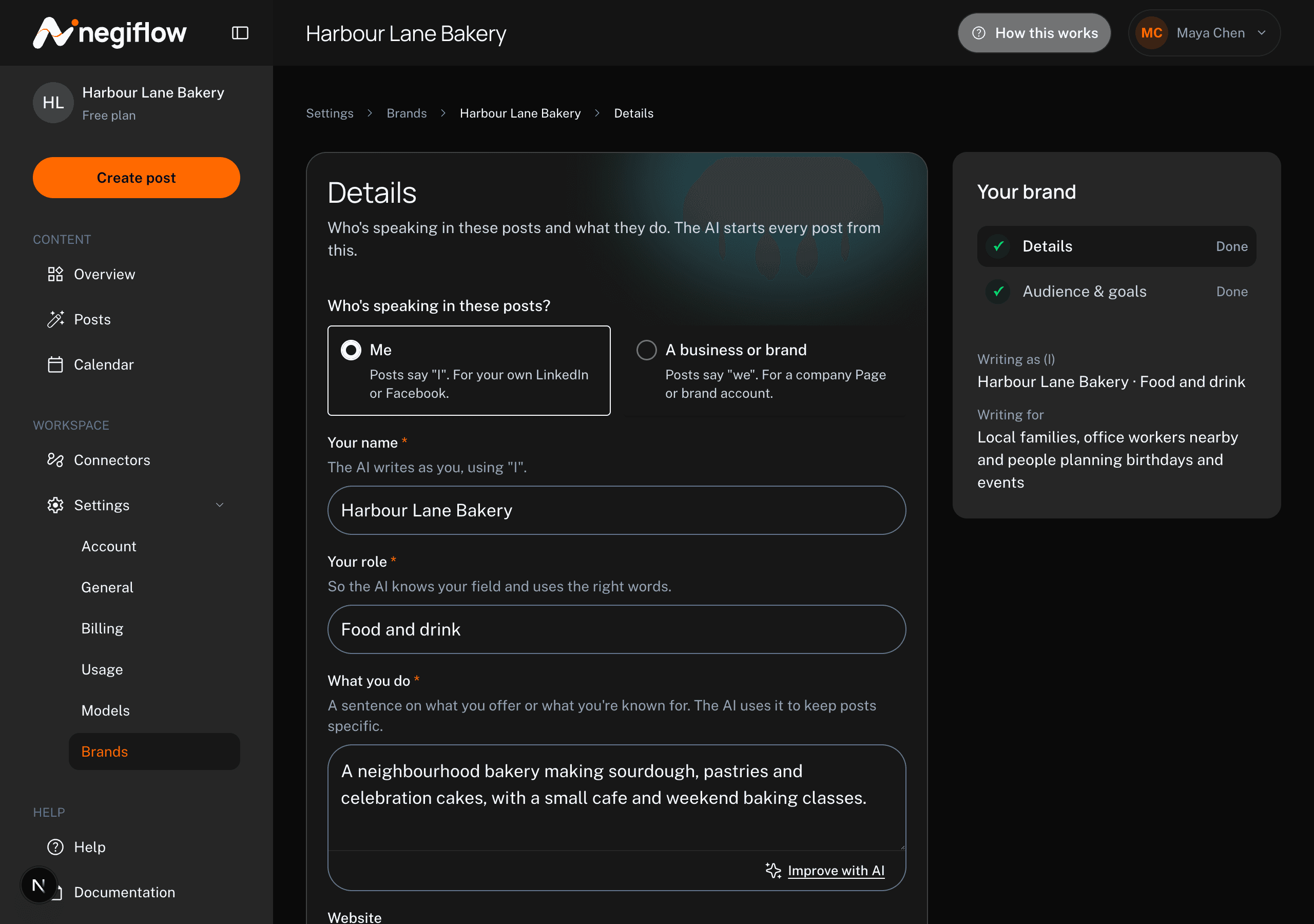
Tell it about your business
Who's speaking, who you want to reach, and what you post about. It reads that every time it writes, so the posts come back sounding like you.
- 2
Give it an idea
Type a line, or pick one of the suggestions from your topics. You get a post for each channel, written to suit it.
- 3
Approve and schedule
Edit anything you want to change, approve it, then post now or drop it on the calendar for later.
You stay in charge
It writes the drafts. You decide what gets published.
- Nothing goes out until you approve it
- Every post sits and waits for you to read it. Approving is the only thing that sends it anywhere.
- Claims get checked against your brand
- If an AI-written draft says something your brand details don't support, it's flagged before you can approve it.
- Drafts tell you they were written by AI
- Inside the app, an AI draft carries a line asking you to check it first, because it can get things wrong.
- Your content isn't training data
- Neither NegiFlow nor the AI providers behind it train models on what you write here.
Made for each channel
One idea, written three ways.
A post that works on LinkedIn reads badly on Instagram. One idea becomes a separate post for each channel, at a length that channel suits.
Images are cropped to what each channel expects, so nothing important gets cut off in the square.
When a scheduled post goes out
Once you’ve approved a post and put it on the calendar, the app tells you exactly what will happen to it on each of your channels: whether it publishes at that time on its own, or whether we email you so you can send it yourself. It says so per channel, before the time comes, so nothing about it is a surprise.
What you get
The parts that do the work.
- Your brand's voice
- Person or business, what you do, who you're talking to, and the topics you post about.
- A version per channel
- One idea becomes a post written for each channel, not the same text pasted three times.
- Tone and length
- Pick how it sounds and how long it runs before it writes.
- Write it yourself
- Use the AI, or type the post and keep the scheduling.
- Images, cropped per channel
- Add an image while you're reviewing, and crop it to the size each channel wants.
- A calendar
- Drag a post onto a time, move it later, and see the week in your own time zone.
- More than one brand
- Run separate brands with their own voice and channels, on the paid plans.
- Your own AI key
- Bring your own provider key on the paid plans if you'd rather use it.
What it doesn’t do yet
- LinkedIn Company Pages. Your own personal profile only for now.
- Personal Facebook profiles. Facebook Pages only.
- Images on LinkedIn. LinkedIn posts go out as text.
- Team members. One login per account at the moment.
Pricing
Start on the free plan.
No card, and no end date. Paid plans add more brands, more channels and your own AI key. Prices are in Australian dollars, and there’s no GST.
Questions
Before you start.
Do I need a credit card to start?
No. The free plan doesn't ask for one, and it doesn't run out after a trial period.
Which channels does it post to?
Whichever ones you connect. Your own LinkedIn profile, Facebook Pages and Instagram professional accounts are available on every account, and further channels including Threads and Pinterest can be switched on for yours. Each post is written for the channel it's going to.
Will it post without me?
Never before you've approved it. After that it depends on the channel and your account, and the app tells you which applies to each of yours: either it publishes at the time you picked, or we email you then so you can send it yourself.
Is it obvious that a post was written by AI?
Inside the app, yes. Drafts are labelled as written with AI and ask you to check them before approving. What you publish is your own post, in your own voice.
What happens to my content?
It's used to write and publish your posts, and that's it. NegiFlow and its AI providers don't train models on it.
Write your first post today.
Set your brand up, give it an idea, and read what comes back. Whether it goes anywhere is up to you.